Toughest laptops: A practical budget guide to rugged protection
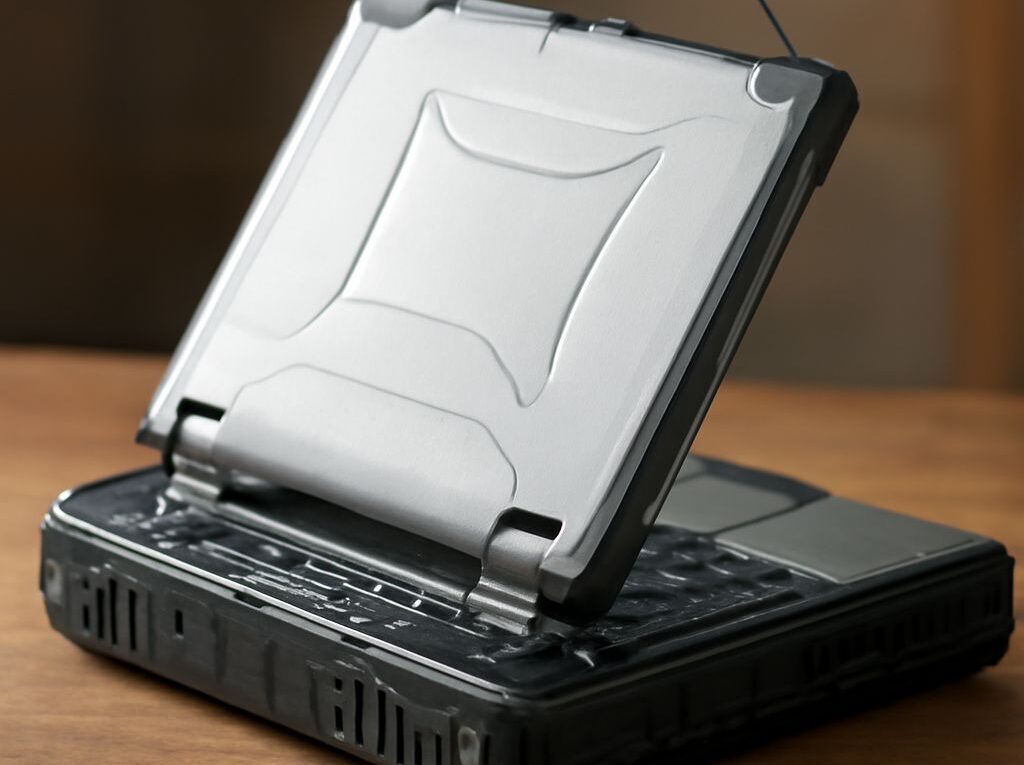
The toughest laptops are not automatically the best purchase. The right choice depends on the worksite, the likely failure, and the cost of downtime. A Panasonic Toughbook 55 or Dell Latitude 5430 Rugged can suit mobile inspections and field service, while a Panasonic Toughbook 40 or Getac B360 is better for repeated drops, heavy rain, dust, and extreme temperatures.
For most buyers, a new or previous-generation semi-rugged model offers the best balance of protection, speed, weight, and price. A fully rugged laptop becomes worthwhile when a damaged computer could stop a crew, expose data, or create a safety problem. Refurbished units can reduce the purchase price, but only when battery condition, parts availability, and warranty coverage are verified.
Why the toughest laptops label is not enough
“Toughest” is a marketing description, not a universal measurement. A useful durability claim names the test method, conditions, and limits. A laptop described as tested to MIL-STD-810H may have passed selected procedures rather than every test in the standard. Drop height, number of drops, temperature, operating state, and whether accessories were attached all affect the result.
Rugged laptops generally fall into three practical groups:
- Consumer laptops with protective features: Usually the lightest and fastest for the price, but commonly have fragile hinges, limited port protection, nonreplaceable batteries, and little resistance to rain or dust.
- Semi-rugged laptops: Built for transport, field service, warehouses, and occasional drops. They typically have reinforced corners, spill-resistant keyboards, covered ports, brighter displays, and easier battery replacement.
- Fully rugged laptops: Designed for frequent exposure to drops, vibration, water, dust, temperature swings, and difficult handling. They are heavier, more expensive, and often use modular components and sealed connectors.
The difference between a cheap rugged laptop and a genuinely suitable field computer is often the evidence behind the protection. A manufacturer should identify relevant MIL-STD-810H procedures, an IP rating where applicable, operating temperature limits, and the conditions under which the tests were performed. A laptop that passed a transit-drop test is not indestructible, and a high IP rating does not prove resistance to impact.
Which protections matter in your environment
Start with the failure that would be most expensive or dangerous. Match each risk to a specific feature rather than paying for every available rugged option.
- Water, dust, and ingress: An IP rating is useful when the laptop will encounter rain, mud, dust, or washdown. IP65 indicates dust-tight protection and resistance to water jets; IP66 provides stronger water-jet protection; IP67 adds temporary immersion protection under the stated test conditions. The rating does not cover an open port, damaged gasket, or an attached accessory unless the manufacturer says it does.
- Drops and impacts: Look for a named drop method and a stated height, number of impacts, surfaces, and operating condition. Reinforced corners and shock-mounted storage reduce risk, but a drop onto an open display or protruding port can still cause damage. A padded vehicle case may be more valuable than a minor processor upgrade.
- Vibration: Vehicle technicians, survey crews, and industrial operators should check for a stated vibration procedure such as MIL-STD-810H Method 514.8. The profile matters: road vibration, rail vibration, and random vibration are different tests. A laptop that survives a desk-height drop may still fail after months on a rough vehicle.
- Heat and cold: Check both operating and storage temperatures. MIL-STD-810H high-temperature and low-temperature procedures identify test conditions, but not every model is intended to run at the same limits. Batteries lose capacity in cold weather, while heat can reduce performance or shorten component life.
- Sunlight: A display rated around 1,000 nits or more is easier to read outdoors than a typical 250- to 400-nit office panel. Anti-glare treatment, a matte finish, and a touchscreen mode that works with gloves can matter as much as peak brightness. Confirm that brightness is available on battery power, not only when plugged in.
- Keyboard and touchpad: A spill-resistant keyboard is not the same as a waterproof computer. Check for drainage channels, sealed keys, glove compatibility, a backlight, and physical controls that can be used with wet hands. A removable keyboard is easier to replace after contamination.
- Ports: Covered USB, HDMI, Ethernet, serial, and power connectors prevent dirt and water from entering when the ports are not in use. Inspect the covers for a secure seal and check whether the required dock or port replicator is proprietary. Frequent plugging can wear a sealed connector, so a dock may lower long-term repair costs.
Protection should reflect exposure. A warehouse worker who faces occasional bumps may need a semi-rugged chassis and a bright screen, not a seven-pound fully rugged computer. A utility worker who works in driving rain and cannot return to base for repairs should prioritize sealed ports, a strong ingress rating, a replaceable battery, and documented environmental testing.
When tough rugged laptops are worth the trade-offs
Tough rugged laptops trade portability and sometimes peak performance for survivability. A semi-rugged model often weighs roughly 4 to 6 pounds before its charger, while a fully rugged model can be considerably heavier. That extra mass may include a reinforced frame, port covers, a larger cooling system, a handle, or a second battery bay. For workers carrying the computer all day, weight is an operating cost.
Performance should be matched to the software. For browser work, inspection forms, mapping, video calls, and office applications, a current Core i5 or Ryzen 5 processor, 16GB of RAM, and a 512GB SSD are a sensible baseline. Older refurbished models with 8GB of RAM or a slow hard drive may appear inexpensive but can lose productivity through sluggish startup, updates, and multitasking. Specialized CAD, GIS, data collection, or video applications may justify a faster processor or discrete graphics, provided the rugged model can cool it in the intended temperature range.
Battery design is often more important than benchmark speed. Look for a hot-swappable or easily replaceable battery, a published runtime under realistic brightness, and an available high-capacity option. A claimed 12-hour runtime may be measured at low brightness with light workloads. Outdoor brightness, cellular connectivity, mapping, and cold weather can reduce it substantially. Budget for a spare battery if a worker cannot reach power during a shift.
Repairability separates a durable laptop from a disposable one. Prefer models with accessible screws, replaceable storage, removable RAM where supported, replaceable keyboards, modular I/O boards, and a service manual. Confirm that batteries, chargers, display assemblies, port covers, hinges, and keyboards are still sold. A rugged chassis does not help if a broken charging port requires replacing the entire motherboard.
Warranty terms also need close inspection. A standard warranty may cover manufacturing defects but exclude drops, liquid, worn batteries, or misuse. Accidental-damage coverage can be valuable in high-risk work, but compare its deductible, repair limit, turnaround time, and exclusions. Parts support for three to five years is often more important than a small difference in processor speed.
How to choose a cheap rugged laptop by total ownership cost
Compare purchase price with batteries, chargers, docks, warranty, repairs, and downtime. A simple calculation is:
Total ownership cost = purchase price + required accessories + planned repairs or support + expected downtime cost.
Consider an outdoor utility inspector who works eight hours per day, encounters rain and dust, occasionally drops equipment from a vehicle, and loses $350 in labor and missed work for each day without a usable laptop. The following illustrative three-year comparison uses representative prices that vary by configuration, seller, and date:
- New semi-rugged Dell Latitude 5430 Rugged: About $1,700, plus a spare battery and charger at $250 and extended support at $200. The planned cost is about $2,150. If the protection is adequate and the expected downtime is one day, the working cost is approximately $2,500.
- Previous-generation semi-rugged model such as a Dell Latitude 5420 Rugged: About $900, plus $300 for a battery, charger, and replacement port cover and $150 for a seller warranty. The planned cost is about $1,350. If older parts or battery problems create two days of downtime, the working cost rises to about $2,050. This is attractive when exposure is moderate and compatible parts are easy to source.
- Refurbished fully rugged Panasonic Toughbook CF-33: About $1,100, plus $300 for a tested battery and accessories and $250 for a meaningful refurbishment warranty. The planned cost is about $1,650. With half a day of expected downtime, the working cost is approximately $1,825. The risk is higher if the seller cannot verify battery health, display condition, seals, or parts support.
- New fully rugged Panasonic Toughbook 40 or Getac B360: About $4,200, plus $300 for an additional battery and $400 for extended support. The planned cost is about $4,900. If the stronger protection limits expected downtime to a quarter day, the working cost is roughly $4,988. That premium is justified when a failure can halt several workers or create a serious operational consequence.
Prices alone do not make one option better. A previous-generation model is usually the strongest value when it still supports the required operating system, has a healthy battery path, and has accessible parts. Refurbished fully rugged equipment can outperform a new semi-rugged laptop for harsh exposure, but the seller should provide a battery-health report, warranty terms, serial-number traceability, and a return period.
Use these buying rules before selecting a model:
- Choose semi-rugged protection for occasional drops, vehicle use, light rain, and moderate dust.
- Choose fully rugged protection for repeated impacts, washdown, heavy dust, extreme temperatures, or downtime that costs more than the price premium.
- Reject any model that lacks the ports, screen brightness, battery runtime, or software performance required for the job.
- Price a spare battery, charger, dock, port covers, and warranty before comparing laptop prices.
- For used equipment, verify seals, hinges, keyboard, display, battery, storage health, and parts availability rather than relying on the seller’s “rugged” description.