What Is a Reverse Proxy and How Does a Request Travel?
A browser can connect directly to an application server, or it can connect to an intermediary that forwards the request. The second arrangement gives the service operator a place to route and manage incoming traffic. Understanding how a reverse proxy works begins with the two connections on either side of it.
Follow one request
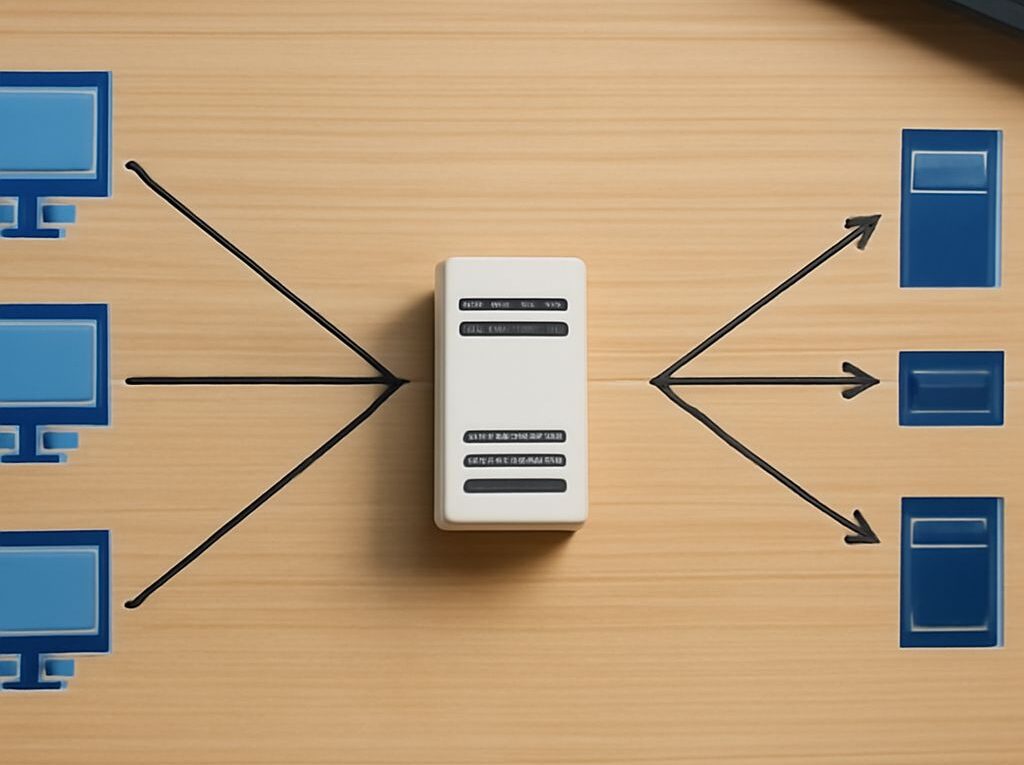
A technician opens a fleet dashboard in a browser. DNS directs the dashboard’s name to the reverse proxy. The browser connects to that proxy and sends an HTTP request. The proxy selects an application server, opens or reuses a separate connection to it, and forwards the request. The application returns a response to the proxy, which passes it back to the browser.
What is a reverse proxy in this example? It is the service-side intermediary that receives the dashboard request and communicates with the application on the client’s behalf. A reverse proxy’s role is to manage this service-side handoff. The application server is often called the upstream or backend. The proxy may route by hostname or URL path, and it may choose among multiple healthy backends for the same service.
The difference between reverse and forward proxies starts with the party served. A forward proxy acts on behalf of clients seeking access to destinations; the reverse form sits in front of services receiving requests. Network policy and configuration determine whether either proxy is actually on a given path.
Understand the two TLS connections
If the browser uses HTTPS, the proxy can terminate TLS: it presents a certificate for the dashboard name, decrypts the incoming request, and applies its routing rules. The connection from proxy to backend is a separate decision. It can use HTTP on a trusted internal path or a new TLS connection; the latter requires appropriate certificate and hostname validation. Encryption on the first leg alone does not encrypt the second.
What is a reverse proxy responsible for when TLS is terminated? Its operators must maintain the public-facing certificate, configure the upstream connection, and protect access to both ends. The application may still need authentication and authorization. If the backend is reachable directly, clients could bypass controls implemented only at the proxy, so network access to the backend should reflect the intended architecture. NGINX’s upstream TLS documentation illustrates certificate verification on the second connection.
Manage health and timing
The purpose of a reverse proxy often includes directing traffic away from an unhealthy backend. Depending on the implementation, health checks may use observed failures or active probes. A successful TCP connection shows that a port responds; an application-level check can test whether the service is ready to handle requests. The check should represent a meaningful dependency without imposing excessive work.
A proxy also enforces timeouts. A connect timeout concerns establishing the upstream connection; a read timeout can concern waiting for data from the backend. Exact behavior varies by product. A slow report may require a different setting from a lightweight status request, but extending a timeout cannot repair a failed backend. Check error logs and application latency before changing it.
The definition of a reverse proxy includes its operational position in the request path. If that intermediary fails, every service depending on it may become unavailable. Use suitable redundancy, monitor both proxy instances and upstream health, and test failover as well as certificate renewal.
Trace a failed request
When the dashboard fails, verify the path in order:
- Confirm the client resolves the intended name and can reach the proxy; check its certificate and response.
- Inspect the proxy’s route, error logs, and backend health for the request time.
- From the proxy’s network, check connectivity and, where used, TLS validation to the selected backend.
- Compare timeout settings with application logs and response times; verify the backend’s dependencies.
Record the hostname, time, response code, selected backend, and request identifier where available. This makes it possible to locate the failure on the client-to-proxy leg, the proxy-to-application leg, or inside the application itself.