Newest Ethernet Cable: Is Cat6A or Cat8 Right for You?
For most homes and small offices, the newest Ethernet cable worth installing is Cat6. It supports 1Gbps links to 100 meters and leaves more headroom than Cat5e for faster multigigabit networking. Choose Cat6A when a permanent run must support 10Gbps to the full 100-meter channel distance. Cat8 is intended mainly for short, high-speed data-center links, not as a universal home upgrade.
The category describes the cable’s electrical performance; Ethernet describes the networking system carried over it; and RJ45 is common connector shorthand for the modular plug and jack used with twisted-pair Ethernet. Those terms work together, but they are not interchangeable.
Newest Ethernet Cable: Which Category Fits Your Link?
Quick pick: Cat6 for most homes, Cat6A for 10Gbps-ready 100 m runs
Cat6 is the practical default for new residential wiring, office drops, cameras, access points, and desktop connections. It is commonly rated to 250MHz and supports 1Gbps Ethernet over a 100-meter permanent link or channel. With suitable equipment and installation conditions, Cat6 can also carry 10GBASE-T over shorter distances, commonly up to about 55 meters. The exact limit depends on cable construction, bundled crosstalk, patching, and the installed channel.
Cat6A raises the specification to 500MHz and is designed for 10GBASE-T over a complete 100-meter channel. It is usually thicker and less flexible than Cat6 because of larger conductors, separators, or improved insulation. That makes Cat6A the better choice for long runs, dense cable bundles, new commercial cabling, and installations where replacing cable later would be difficult.
Cat5e, Cat6, and Cat6A: speed, distance, construction, and RJ45 compatibility
- Cat5e: Typically rated to 100MHz and suitable for 100-meter 1000BASE-T links. It remains adequate for ordinary gigabit internet, printers, televisions, and office devices when the existing cable is in good condition. Some modern multigigabit standards can operate over suitable Cat5e cabling, but performance depends on the channel and installation.
- Cat6: Typically rated to 250MHz, with better crosstalk performance than Cat5e. It supports 1Gbps to 100 meters and can support 10Gbps on shorter runs. It uses the same familiar eight-position modular connector format, although high-performance cable and connecting hardware should be matched by category.
- Cat6A: Typically rated to 500MHz and intended for 10Gbps to 100 meters. It may be unshielded or shielded, with shielded versions requiring compatible jacks, patch panels, plugs, and grounding practices. Its larger bend radius and thicker jacket can make termination and cable management more demanding.
All three categories can use ordinary RJ45-style connections when the plug, jack, patch panel, and cable are rated for the intended category. A Cat6A cable terminated with a low-grade Cat5e component does not create a Cat6A channel. Solid-conductor horizontal cable is intended for permanent in-wall runs, while stranded patch cable is more flexible and intended for short equipment connections. Copper-clad aluminum cable should not be substituted for standards-compliant solid copper Ethernet cable.
Cat7 and Cat7A: shielded 10Gbps cabling up to 100 m, with connector caveats
Cat7 and Cat7A are higher-frequency ISO/IEC cabling classes, commonly associated with shielded construction and strong separation between pairs. They can support 10Gbps Ethernet to 100 meters when the complete channel meets the relevant requirements. Cat7 is commonly associated with Class F performance, while Cat7A is associated with Class FA and higher frequency capability.
These labels do not automatically make Cat7 or Cat7A a better choice for a normal RJ45 installation. The formal connector ecosystems may include TERA or GG45 rather than the conventional RJ45-style interface. Some installations use RJ45-compatible Cat7 components, but the resulting channel must be designed and tested as a compatible system. Cat6A is often simpler, less expensive, and easier to source for 10Gbps structured cabling.
Cat8: shielded 25/40Gbps links up to 30 m, with RJ45 or alternate connectors
Cat8 is designed for short high-speed links, including 25GBASE-T and 40GBASE-T applications, generally up to 30 meters for the channel. It is typically shielded and rated to 2000MHz. Cat8.1 commonly uses an RJ45-compatible interface, while Cat8.2 belongs to a connector ecosystem that can include non-RJ45 options such as GG45 or TERA.
Cat8 makes sense for certain server-room, rack-to-rack, and data-center connections where compatible switches, network adapters, patch panels, and short channel lengths justify it. It is usually excessive for a home, where the network hardware is more likely to limit speed than Cat6A cable. The highest category number is therefore not automatically the best purchase: length, target speed, installation space, bend radius, shielding, connector availability, and equipment compatibility matter more.
RJ45 vs Ethernet: What the Terms Actually Mean
Ethernet is a family of wired local-area networking standards maintained primarily through IEEE 802.3. It defines how devices transmit frames and negotiate particular link speeds over media such as twisted-pair copper or fiber. 1000BASE-T, 2.5GBASE-T, 10GBASE-T, and 40GBASE-T are examples of Ethernet specifications for copper twisted-pair links.
RJ45 is a common marketplace term for the modular eight-contact connector used on many copper Ethernet cables. The more precise physical description is often 8P8C, meaning eight positions and eight contacts. RJ45 does not identify the cable’s category, speed rating, shielding, or maximum distance. A connector can look like an RJ45 connector while being attached to Cat5e, Cat6, Cat6A, or a higher-category cable.
In practical terms, the cable category determines the channel’s signal performance, Ethernet equipment determines the negotiated link standard, and the connector provides the electrical termination. A Cat6A cable cannot force a 10Gbps link if the switch and network adapter support only 1Gbps. Conversely, 10Gbps hardware cannot achieve its rated result if the installed cable, connectors, or termination introduce excessive loss or crosstalk.
RJ45 Connector Color Code: T568A and T568B
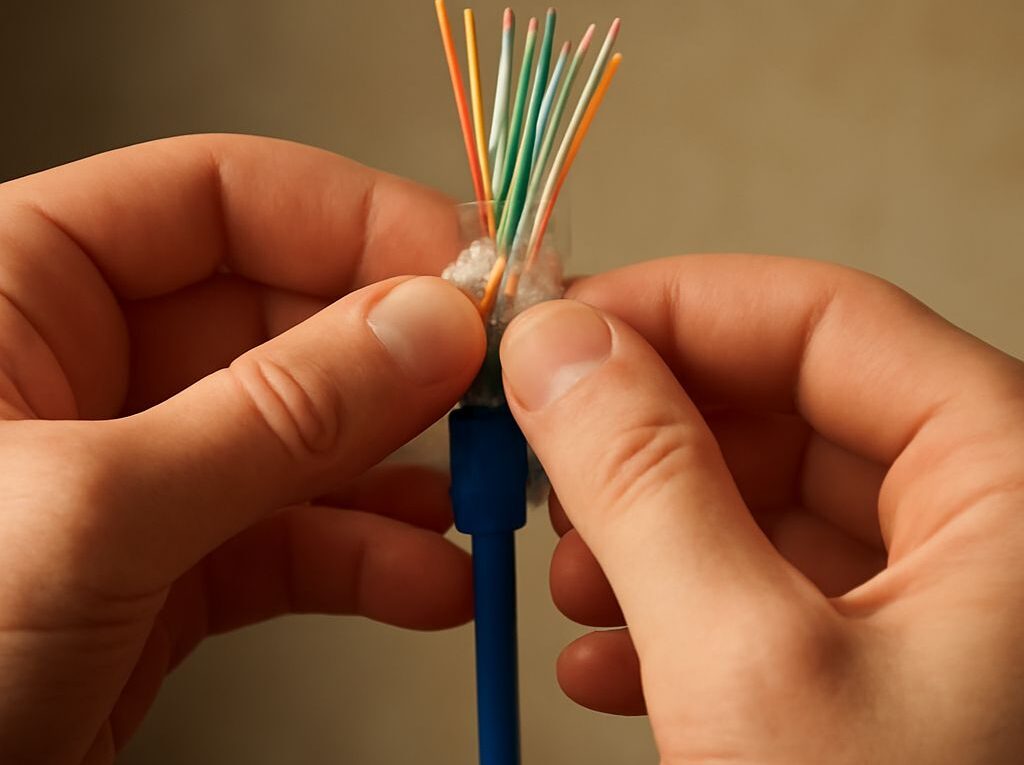
The RJ45 connector color code follows one of two recognized wiring arrangements: T568A or T568B. Both use the same four twisted pairs and the same eight pins, but the green and orange pairs exchange positions. Pin 1 is at one side of the plug when the contacts face up and the cable entry points away, so the plug must be oriented consistently while terminating.
T568A pin order: white/green, green, white/orange, blue, white/blue, orange, white/brown, brown
- White/green
- Green
- White/orange
- Blue
- White/blue
- Orange
- White/brown
- Brown
T568B pin order: white/orange, orange, white/green, blue, white/blue, green, white/brown, brown
- White/orange
- Orange
- White/green
- Blue
- White/blue
- Green
- White/brown
- Brown
Pick one standard and use it consistently at both ends
A standard straight-through patch cable uses the same pinout at both ends: T568A-to-T568A or T568B-to-T568B. T568B is common in many commercial installations, while T568A may be required by a local specification or existing structured cabling. Either is electrically suitable when used consistently.
Terminating one end as T568A and the other as T568B creates a crossover cable. Older equipment sometimes required that arrangement for like-to-like connections, but most current network devices support automatic MDI/MDI-X and can work with a straight-through cable. For a new structured installation, matching the existing site standard at both ends avoids confusion and preserves predictable patching.
Choose and Test the Installed Link
Choose the category, conductor, shielding, and matching connector ecosystem
Start with the required speed and distance rather than the largest available category number. Use Cat5e for a sound gigabit-only installation where budget and existing infrastructure are priorities. Use Cat6 for most new home and office runs. Use Cat6A for 10Gbps over 100 meters, dense bundles, or future-facing commercial cabling. Consider Cat7, Cat7A, or Cat8 only when a documented application requires their shielding, frequency, connector system, or short high-speed reach.
Select solid copper horizontal cable for permanent runs and stranded copper patch cable for flexible equipment leads. Check the cable’s diameter, bend-radius requirement, jacket rating, and shield design before routing it. Shielded cable requires a continuous compatible path through jacks, patch panels, plugs, and grounding hardware; otherwise, the extra shield may add installation complexity without delivering its intended benefit.
Terminate both ends while preserving pair twists and following one pinout
- Cut the cable cleanly and remove only enough jacket to place the conductors into the plug, keystone, or patch-panel termination.
- Keep each twisted pair together as close to the termination as the component instructions allow. Excessive untwisting increases crosstalk and can reduce the achieved category performance.
- Arrange the conductors in T568A or T568B order with the plug held in the same orientation used to identify pin 1.
- Use a category-rated connector designed for the conductor size and cable type. Do not force large solid conductors into a plug intended for small stranded patch cable.
- Terminate the other end with the same pinout for a normal link, then secure the cable without exceeding its bend radius or crushing it with ties.
Test wire map, length, and link performance before closing the installation
A basic cable tester should confirm all eight conductors, correct pin order, and the absence of opens, shorts, reversals, and split pairs. A simple continuity light can miss a split pair because every conductor may still reach the opposite end while the pairs are assembled incorrectly. For permanent cabling, a qualification or certification tester can measure length, insertion loss, return loss, and crosstalk against the selected category.
After the physical test passes, connect the intended switch and endpoint and check the negotiated speed. A link that falls back from 10Gbps to 1Gbps may indicate incompatible hardware, a weak termination, excessive length, pair damage, or a channel component below the target category. Test with known-good patch cables, inspect both ends, and verify the wire map before closing walls, racks, or ceiling pathways.